


Educational institutions face unprecedented communication challenges in 2026. From coordinating emergency responses to celebrating student achievements, schools must reach diverse audiences across sprawling campuses whilst managing tight budgets and evolving technology. Digital signage for schools offers a dynamic solution that transforms how educational institutions communicate, engage, and inform their communities. Unlike traditional noticeboards that require manual updates and quickly become outdated, digital displays deliver real-time information whilst supporting everything from wayfinding to emergency notifications. This comprehensive guide explores how schools can leverage modern digital signage to create safer, more connected, and engaging learning environments.
Understanding Digital Signage in Educational Settings
Digital signage for schools encompasses electronic displays that present multimedia content throughout campus environments. These systems range from simple single-screen installations in reception areas to sophisticated networks spanning multiple buildings, all managed from a centralised content platform.
The technology behind school digital signage has evolved considerably. Modern systems integrate with existing infrastructure, including student information systems, emergency alert platforms, and content management tools. This integration enables automated content delivery based on schedules, triggers, or real-time data feeds.
Core components of school digital signage systems include:
- Display hardware (LED screens, video walls, interactive kiosks)
- Content management software (cloud-based or on-premises)
- Media players and connectivity infrastructure
- Mounting solutions and protective enclosures
- Integration APIs for third-party systems
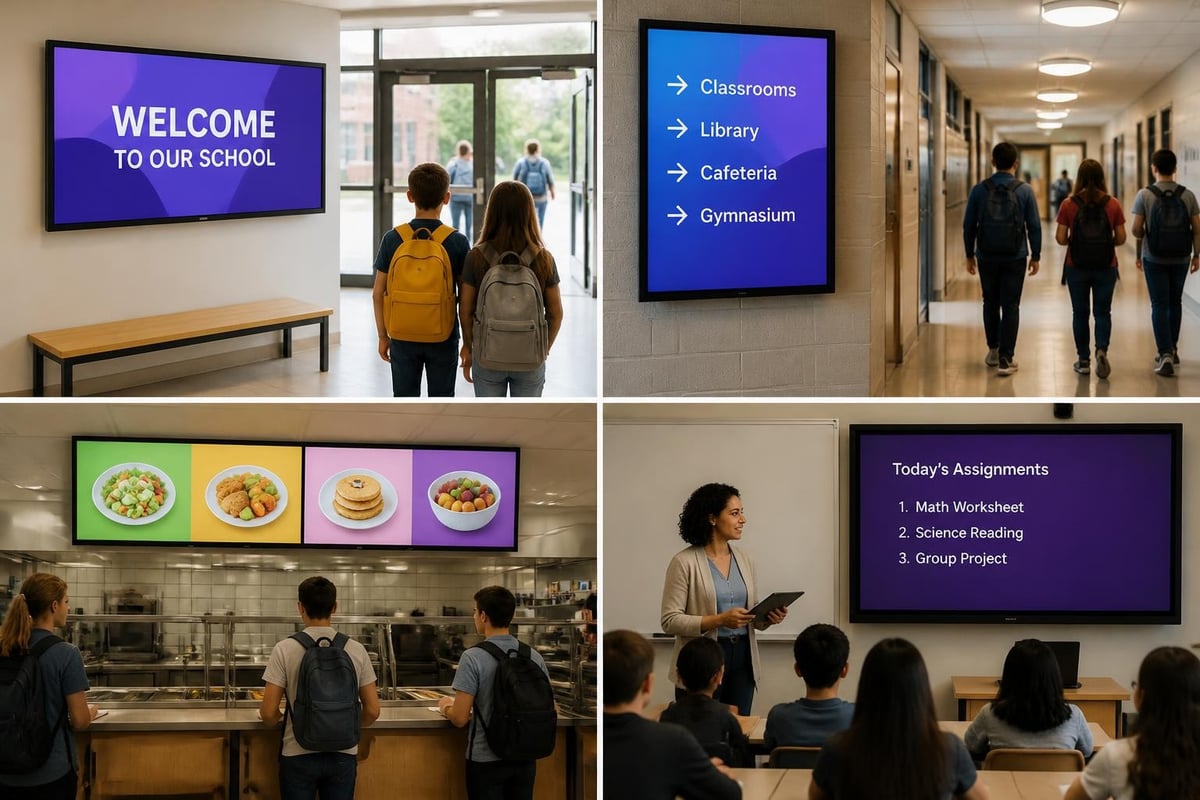
Schools typically deploy displays in strategic locations including entrances, corridors, cafeterias, gymnasiums, libraries, and administration offices. Each location serves distinct communication purposes, from greeting visitors to providing real-time schedule updates for students transitioning between lessons.
Return on Investment Considerations
Educational institutions must justify technology investments through demonstrable returns. Digital signage for schools delivers value across multiple dimensions beyond simple cost comparisons with traditional printing.
Time savings alone prove substantial. Administrative staff spend countless hours printing, laminating, and posting paper notices. Digital systems eliminate these recurring tasks, redirecting staff time toward higher-value activities. One secondary school reported saving approximately 15 hours weekly after implementing digital signage across their campus.
Communication reach expands significantly. Digital displays capture attention more effectively than static notices, with research indicating that digital content achieves 63% higher recall rates compared to printed materials. Schools can simultaneously broadcast messages across multiple locations, ensuring consistent communication campus-wide.
| Benefit Category | Traditional Signage | Digital Signage |
|---|---|---|
| Update Speed | Hours to days | Instant |
| Content Reach | Single location | Campus-wide network |
| Engagement Rate | Low (often ignored) | High (moving content attracts attention) |
| Annual Cost | £2,000-5,000 (printing, labour) | £800-2,000 (electricity, maintenance) |
| Environmental Impact | High (paper, ink, waste) | Minimal (energy consumption only) |
| Emergency Use | Manual posting required | Instant alert override |
Strategic Implementation Planning
Successful digital signage deployment requires careful planning aligned with institutional goals. Schools should begin by identifying specific communication challenges and defining clear objectives for their signage network.
Needs Assessment and Goal Setting
Start by auditing current communication methods. Document pain points such as outdated notices, missed announcements, or inefficient emergency procedures. Survey stakeholders including administrators, teachers, students, and parents to understand information needs and preferences.
Define measurable objectives. Rather than vague goals like "improve communication," specify targets such as "reduce time spent posting notices by 80%" or "achieve 95% student awareness of daily announcements within 24 hours."
Priority objectives typically include:
- Emergency communication - Immediate campus-wide alerts
- Daily operations - Schedules, events, menu changes
- Wayfinding - Navigation assistance for visitors and new students
- Recognition - Celebrating achievements and milestones
- Community building - Showcasing student work and school culture
Schools should also consider future needs. A system installed in 2026 must accommodate growth, new buildings, and evolving technology standards over a 5-10 year lifespan.
Location Strategy and Display Selection
Strategic placement maximises impact whilst managing costs. High-traffic areas deliver greatest visibility, but each location requires displays suited to viewing distance, ambient light, and environmental conditions.
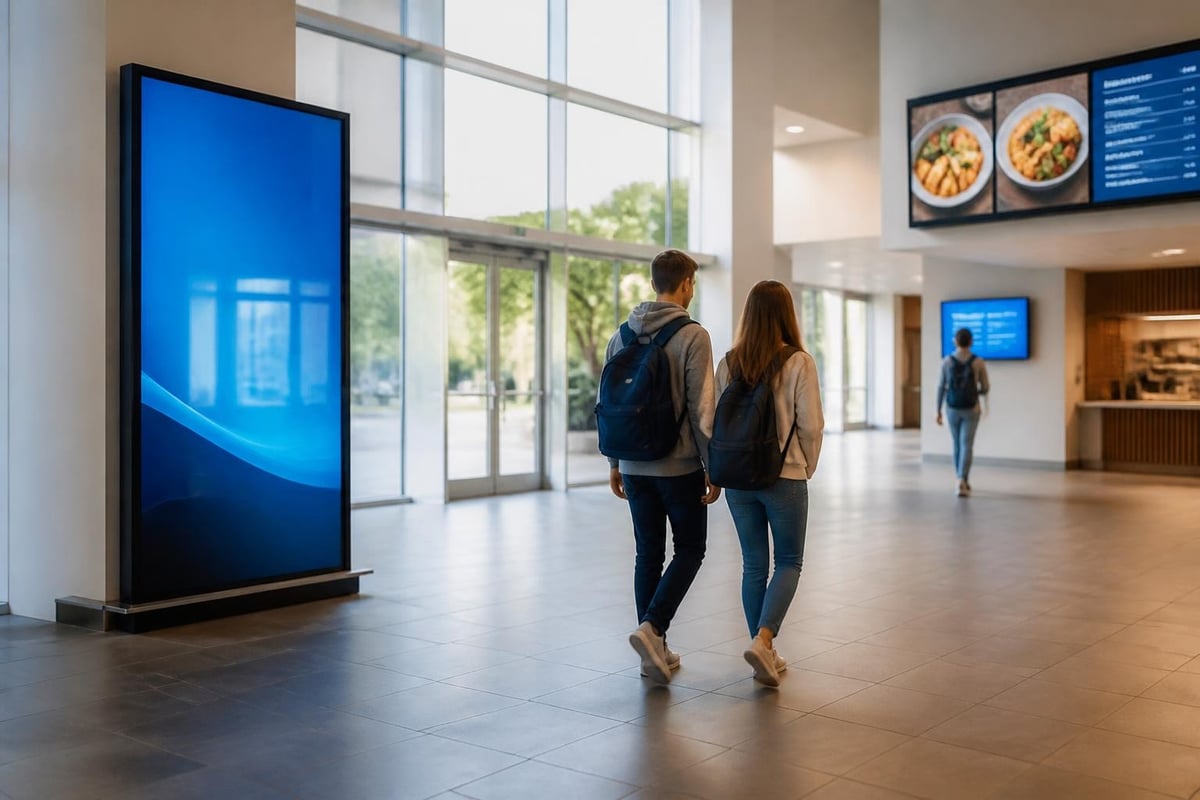
Entrance and reception areas benefit from large-format displays greeting visitors whilst providing directories and important notices. These displays create positive first impressions and reduce administrative burden by answering common questions about building locations and event schedules.
Corridor installations serve students transitioning between classes. Portrait-oriented displays work well in narrow hallways, presenting daily schedules, club announcements, and directional information. Consider directional signs integrated with digital elements for comprehensive wayfinding solutions.
Cafeterias suit menu boards that display daily meal options, nutritional information, and allergen warnings. Digital menu boards reduce printing costs whilst enabling last-minute updates when ingredients change or items run out.
Content Management and Governance
Effective digital signage for schools requires clear content governance. Without structure, displays quickly become cluttered or neglected, undermining their value.
Establish a content approval workflow. Designate specific individuals or departments authorised to publish content, with appropriate review processes for different content types. Emergency alerts require immediate override capability, whilst routine announcements may follow standard review procedures.
The digital signage best practices developed by communications teams emphasise content quality over quantity. Follow guidelines such as limiting text to essential information, using high-contrast colours for readability, and maintaining consistent branding across all displays.
Content calendar essentials:
- Daily updates - Schedules, menus, weather, news headlines
- Weekly rotation - Event promotions, club announcements, achievement spotlights
- Monthly themes - Academic calendars, cultural celebrations, awareness campaigns
- Evergreen content - School values, emergency procedures, contact information
Content should balance informational and engaging material. Whilst operational information serves essential purposes, inspirational quotes, student artwork, and achievement celebrations build community spirit and maintain viewer interest.
Emergency Communications and Safety Integration
School safety ranks amongst the highest priorities for educational administrators in 2026. Digital signage for schools plays a critical role in comprehensive emergency response systems, delivering immediate visual alerts during critical incidents.
Modern digital signage integrates with mass notification platforms, enabling instant campus-wide alerts. When administrators trigger emergency protocols, displays immediately switch from regular content to urgent messages with clear instructions. This integration supports enhancing school safety through digital signage by providing visual reinforcement for audio announcements and mobile alerts.
Multi-Channel Emergency Response
Effective emergency communication employs multiple channels simultaneously. Digital signage complements other alert methods including public address systems, text messages, email notifications, and social media updates. This redundancy ensures message delivery even when individuals miss single-channel alerts.
Visual displays prove particularly valuable during lockdown situations when silence is essential. Screens can display critical information and instructions without audio announcements that might compromise security. Similarly, for individuals with hearing impairments, visual alerts provide essential access to time-sensitive safety information.
Emergency content templates should include:
- Specific incident type (fire, weather emergency, lockdown, evacuation)
- Clear action instructions (evacuate, shelter in place, avoid specific areas)
- Assembly point locations or safe zones
- All-clear notifications when incidents resolve
Regular testing ensures reliability when emergencies occur. Schedule quarterly tests that trigger emergency content across all displays, verifying system responsiveness and staff familiarity with procedures.
Coordination with Emergency Services
Digital signage systems should support first responders during emergencies. Some advanced installations provide emergency services with direct display access, enabling them to broadcast instructions during active incidents. This capability requires careful security planning but can prove invaluable during complex emergencies.
Schools should reference guidance such as the CISA K-12 emergency notification spotlight when developing comprehensive alert strategies. This federal perspective emphasises coordination between school administrators, local emergency services, and parents to create layered notification systems.
Accessibility and Inclusive Design
Digital signage for schools must serve all community members, including students and visitors with disabilities. Accessibility isn't merely a legal requirement but a fundamental aspect of inclusive educational environments.
Design Standards and Guidelines
The Web Content Accessibility Guidelines (WCAG) provide internationally recognised standards for digital content accessibility. These guidelines, whilst primarily developed for web content, apply equally to digital signage design.
Key accessibility considerations include:
- Colour contrast - Maintain minimum 4.5:1 contrast ratios between text and backgrounds
- Text size - Use fonts scaled appropriately for viewing distances (minimum 18-point equivalent)
- Animation timing - Allow sufficient reading time; avoid flashing content that triggers photosensitive conditions
- Alternative formats - Provide equivalent information through multiple sensory channels where possible
- Clear language - Use plain language appropriate for diverse reading levels
Schools should also reference Canadian wayfinding and signage standards which address digital signage accessibility including multilingual display requirements and audible accessibility features that can benefit diverse school populations.
Interactive Accessibility Features
Some schools implement interactive digital signage kiosks that allow users to customise their experience. These systems might offer adjustable text sizes, language selection, audio descriptions, or tactile interfaces for visitors with visual impairments.
For schools serving multilingual communities, digital signage enables content rotation through multiple languages or simultaneous display of translations. This capability proves particularly valuable in diverse urban schools where families speak dozens of different home languages.
Physical placement also impacts accessibility. Displays mounted at appropriate heights serve wheelchair users and younger primary students. The integration of accessibility signs with digital elements creates comprehensive wayfinding systems that serve all community members effectively.
Privacy and Data Protection
Educational institutions handle sensitive student information daily. Digital signage for schools must respect privacy whilst effectively communicating necessary information. Balancing transparency and privacy protection requires careful policy development.
The U.S. Department of Education's student privacy guidance addresses what student information schools can publicly display. Whilst these resources focus on American regulations, the principles apply broadly to protecting student personally identifiable information.
Content Guidelines for Student Privacy
Avoid displaying:
- Student identification numbers or personal contact information
- Academic performance data that identifies individual students
- Disciplinary information or attendance records
- Medical information or accommodation details
- Photographs of students without appropriate consent
Appropriate public content includes:
- Group achievements (team victories, club accomplishments)
- Anonymous academic statistics or school-wide metrics
- Event schedules and general announcements
- Public recognition where students have opted in through appropriate consent processes
Schools should develop clear policies governing what content appears on public displays versus restricted-access systems. Staff rooms might display different information than public corridors, with access controls ensuring appropriate content visibility.
Technical Infrastructure and Integration
Modern digital signage for schools integrates with existing educational technology infrastructure. This integration creates seamless workflows whilst maximising system value.
Network Architecture Considerations
Digital signage systems require reliable network connectivity. Schools can deploy systems using existing wireless infrastructure or dedicated wired connections, depending on bandwidth requirements and security considerations.
Cloud-based content management platforms offer advantages including remote access, automatic updates, and reduced on-site server requirements. However, schools must consider internet reliability, as cloud-dependent systems may fail during network outages. Hybrid approaches that cache content locally whilst synchronising with cloud platforms provide resilience.
Infrastructure requirements typically include:
- Network connectivity - Ethernet or WiFi with adequate bandwidth for content delivery
- Power infrastructure - Reliable electrical supply with surge protection
- Display mounting - Professional installation ensuring security and optimal viewing angles
- Content storage - Local or cloud storage sufficient for multimedia content libraries
- Backup systems - Redundancy for critical emergency communication functions
Schools should consult with AV professionals familiar with educational environments. Resources such as the AV Network integration guide to digital signage provide technical perspectives on display technologies, infrastructure requirements, and professional installation considerations.
Integration with School Information Systems
Maximum efficiency comes from integrating digital signage with existing platforms. Student information systems, learning management platforms, and calendar applications can automatically feed content to displays without manual intervention.
Common integration opportunities:
| System | Integration Benefit | Example Use Case |
|---|---|---|
| Student Information System | Automated schedule displays | Daily timetable changes broadcast automatically |
| Calendar Platform | Event promotion | Upcoming matches, performances, parent meetings |
| Weather Services | Real-time updates | Weather alerts, temperature, outdoor activity decisions |
| Transport Systems | Bus schedules | Departure times, route changes, delays |
| Cafeteria Management | Menu updates | Daily offerings, allergen information, meal counts |
| Learning Management | Assignment reminders | Project deadlines, examination schedules |
These integrations reduce administrative workload whilst ensuring information accuracy. When data updates in source systems, displays automatically reflect changes without staff intervention.

For schools seeking to complement digital installations with traditional illuminated signage, Lightbox Signage provides an excellent solution for entrance displays, donor recognition walls, and permanent wayfinding elements that require 24/7 visibility. These illuminated options offer reliability and visual impact in locations where digital systems may not be practical or necessary.
Content Strategy and Engagement
Effective digital signage for schools requires more than hardware and software. Strategic content planning determines whether displays become valuable communication tools or ignored visual clutter.
Content Mix and Pacing
Successful school digital signage balances multiple content types throughout each day. Pure information delivery becomes monotonous; mixing operational content with engaging material maintains viewer attention and creates positive associations with the displays.
Recommended content distribution:
- 40% Operational information (schedules, menus, announcements)
- 30% Student recognition and achievements
- 20% Educational content (vocabulary, historical facts, inspirational quotes)
- 10% Community building (upcoming events, school values, cultural celebrations)
Content pacing affects viewer engagement. Each slide should display long enough for viewers to read comfortably whilst moving quickly enough to maintain interest. A general guideline suggests one second per word, with minimum display times of 8-10 seconds for simple messages and up to 20 seconds for complex information.
Student-Generated Content
Involving students in content creation builds engagement and develops digital literacy skills. Student-produced content also resonates more effectively with peer audiences than purely administrative messaging.
Schools can establish student media teams responsible for creating announcements, producing video segments, and designing graphics. This approach provides authentic learning opportunities whilst reducing staff content creation burden.
Student content opportunities include:
- Morning announcements produced by student broadcast teams
- Sports highlights and game previews
- Club activity showcases
- Student artwork galleries
- Peer-to-peer safety messages
- Tutorial videos for school procedures
Quality standards ensure student content maintains professional appearance. Providing templates, style guides, and review processes helps students create effective content whilst maintaining consistency across displays.
Measuring Success and Optimisation
Digital signage for schools requires ongoing evaluation to ensure objectives are met and investments deliver expected returns. Measurement approaches vary based on specific goals but should include both quantitative and qualitative assessments.
Performance Metrics
Operational efficiency metrics:
- Time saved on manual posting and printing activities
- Reduction in printing and materials costs
- Speed of information updates (scheduled changes, emergency alerts)
- Staff satisfaction with communication tools
Engagement and awareness metrics:
- Student awareness of announced events (measured through attendance or surveys)
- Visitor feedback on wayfinding effectiveness
- Content view analytics (if interactive displays track engagement)
- Social media mentions or photo shares of display content
Technical performance metrics:
- System uptime and reliability
- Content update success rates
- Emergency alert system test results
- Network performance and bandwidth utilisation
Schools should establish baseline measurements before implementation, then track improvements over defined periods. Quarterly reviews provide opportunities to adjust content strategies, address technical issues, and refine deployment approaches.
Continuous Improvement Practices
Successful digital signage programmes evolve based on user feedback and performance data. Regular stakeholder surveys identify which content proves most valuable and which displays receive greatest attention.
Optimisation strategies include:
- A/B testing - Display different content versions to determine what drives engagement
- Content audits - Regular reviews to remove outdated material and refresh evergreen content
- Technology updates - Planned hardware and software upgrades to maintain performance
- Training programmes - Ongoing staff development to maximise system utilisation
- Policy reviews - Annual governance assessment ensuring policies remain relevant
Schools should document lessons learned and best practices, creating institutional knowledge that persists through staff transitions. This documentation proves particularly valuable when expanding systems to additional buildings or upgrading existing installations.
Environmental Considerations and Sustainability
Modern digital signage for schools supports environmental sustainability goals whilst reducing operational costs. Educational institutions increasingly prioritise environmental responsibility, making energy-efficient technologies essential considerations.
Energy Management
LED display technology has dramatically improved energy efficiency in recent years. Current-generation commercial displays consume significantly less power than older LCD technologies whilst delivering superior brightness and longevity.
Schools can implement automated scheduling that powers displays down during unoccupied hours, reducing energy consumption without sacrificing functionality. Motion sensors can activate displays only when viewers are present in low-traffic locations, further reducing unnecessary energy use.
Sustainability features to specify:
- Energy Star certified displays
- Automatic brightness adjustment based on ambient light
- Scheduled power management aligned with occupancy patterns
- Low-standby power consumption
- Long-life LED backlighting reducing replacement frequency
The environmental benefits extend beyond energy savings. Digital systems eliminate ongoing paper, ink, and laminating film consumption. Schools report reducing paper usage by thousands of sheets annually after implementing comprehensive digital signage networks.
Lifecycle Planning
Responsible technology deployment considers the full lifecycle from procurement through eventual disposal. Schools should specify displays built for longevity, with manufacturer commitments to spare parts availability and recycling programmes.
Modern commercial displays typically offer 50,000-70,000 hours of operation before requiring replacement. At eight hours daily operation, this translates to 17-24 years of service life, though schools typically upgrade technology every 7-10 years to maintain current capabilities.
Digital signage transforms how schools communicate, creating connected communities whilst improving operational efficiency and safety. From emergency alerts that protect students to engaging content that celebrates achievements, modern display systems serve essential functions across educational environments. Signshoponline brings extensive expertise in educational signage solutions, offering customised digital display systems, illuminated signage, and comprehensive installation services designed specifically for school environments. Contact our team today to explore how digital signage can enhance communication and engagement across your campus.


